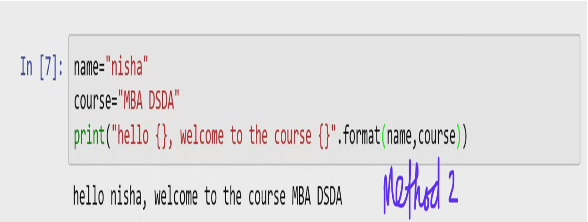
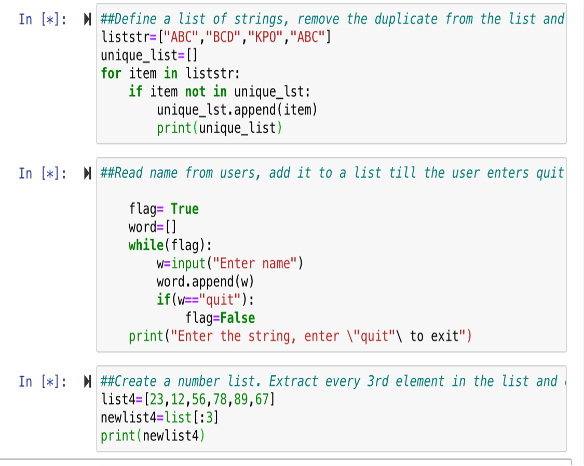
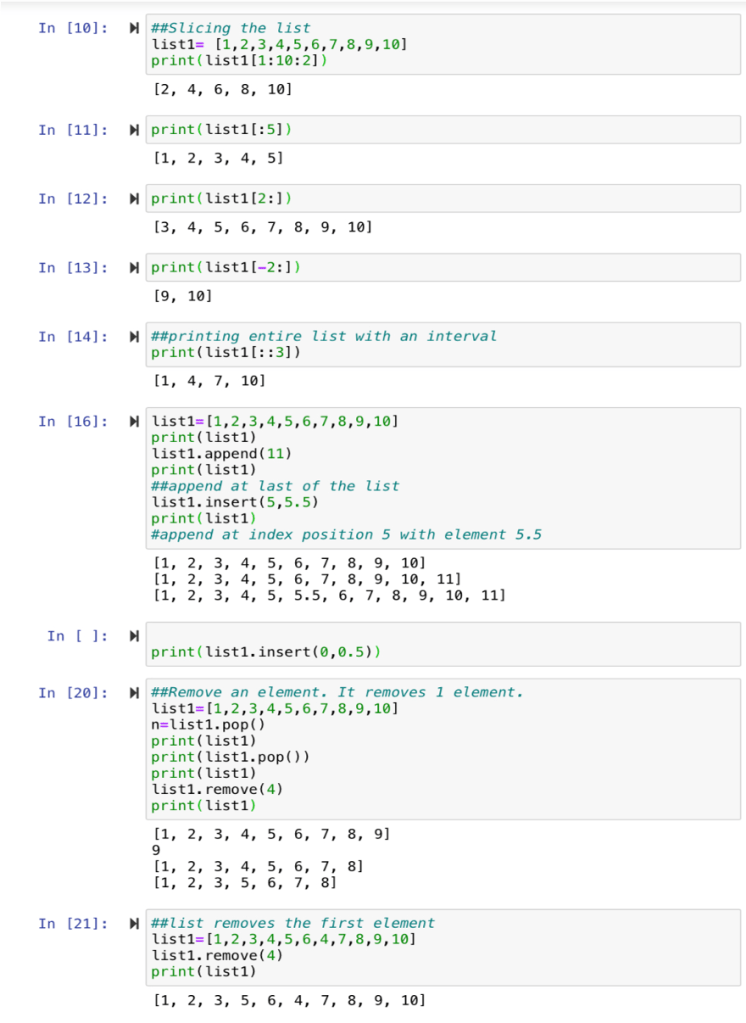

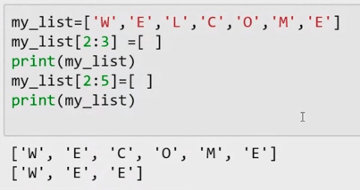
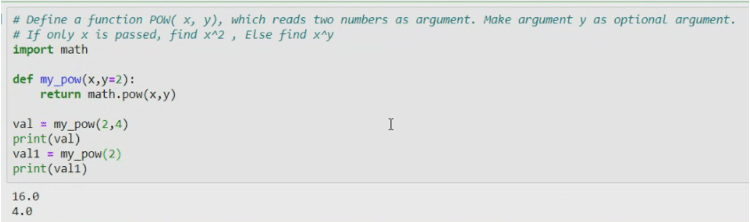
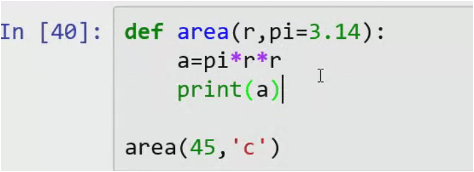
Default argument

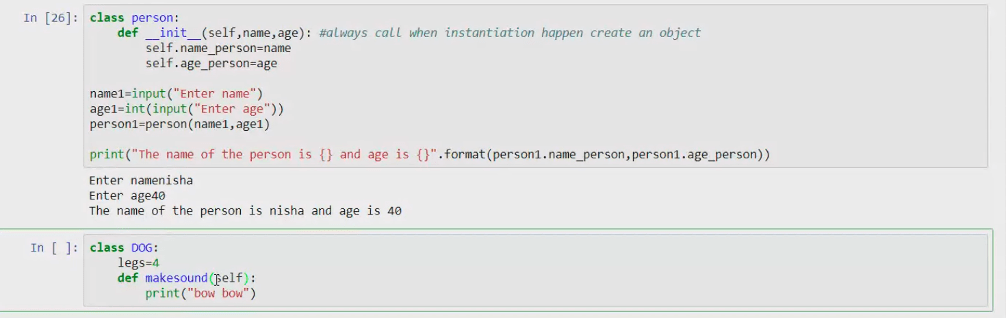
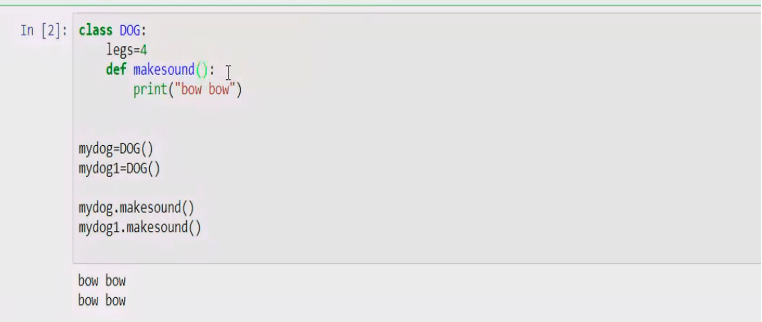
OOP : Ensures the re-use of codes. It is achieved by creating Classes and Objects.
Class car :
Colors= « red »
Seat= « seat »
Ford= car()
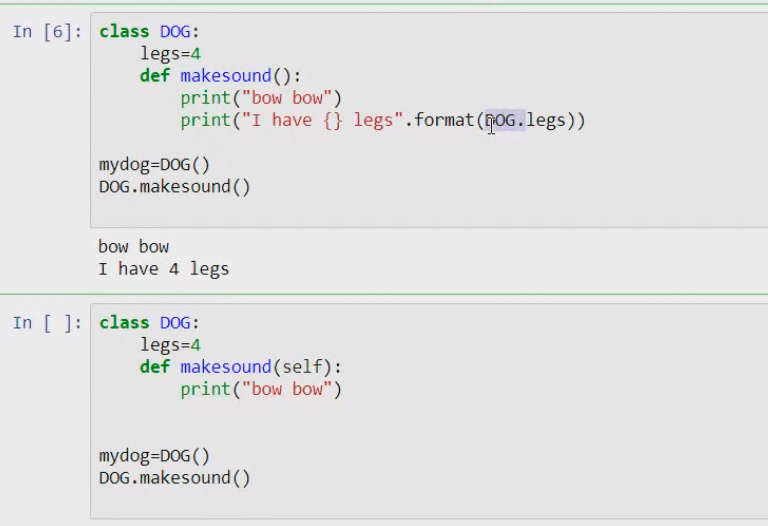
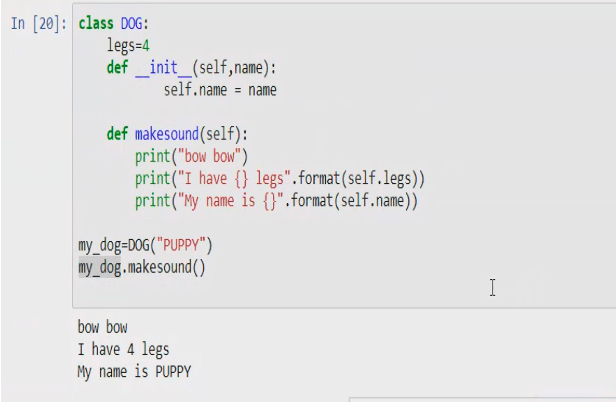
Static method
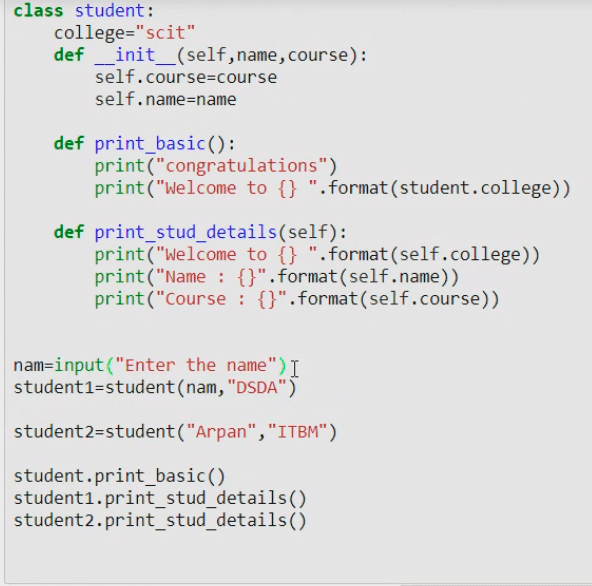
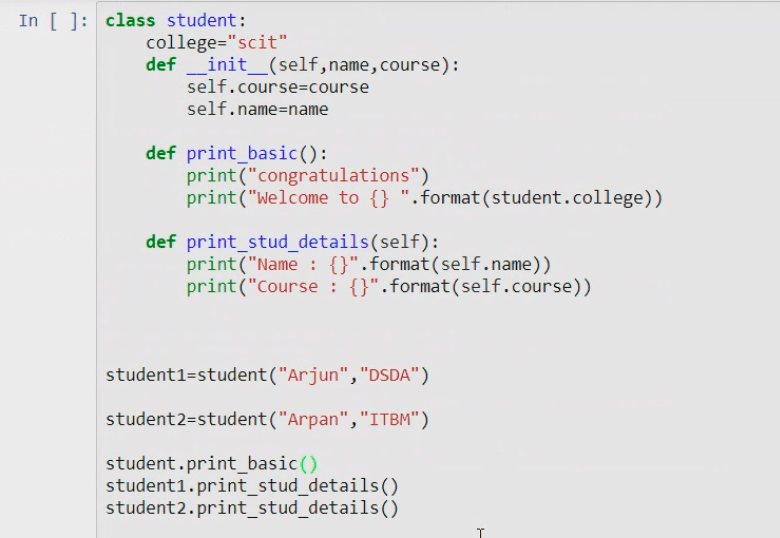
Write a program by creating an ‘Employee’ class having the attributes as e_no, e_name,e_dept,hourly_rate.
- ‘getInfo()’ which takes the number of hours of work per day of employee as parameter
- ‘Calc_Sal()’ which calculates the salary based on no of hours worked.
- ‘printInfo()’ which prints the details.
Class Employee :
def __int__(self,e_no,e_name,e_dept,hourly_rate) :
self.e_no= e_no
self.e_name=e_name
self.e_dept=e_dept
self.hourly_rate=hourly_rate
def get_info(self,no_hrs):
self.no_hrs=no_hrs
def calc_sal(self):
self.sal+self.no_hrs*self.hourly_rate
def print_info(self) :
print(« name « +self.e_name)
print(« sal »+str(self.sal))
print(« department »+self.e_dept)
e1=employee(«101 »,ruchi »,engineer »,200)
e1.get_info(10)
e1.calc_sal()
e1.print_info()
class myclass():
var1+10
m=myclass()
m.var1
When a variable is made private it. cannot be assesed outside the class.
Class myclass() :
Var1=10
Def printme(self) :
Print(self.__var1)
m=myclass()
m.printme()
__sal=100000
Def setSal(self,value) :
Self.__sal=value
Def getSal(self) :
Return(self.__sal)
Nisha=employee()
Nisha.setSal(250000)
Salary=nisha.getSal()
Print(salary)
Getters and setters
Class employee() :
Def setSal(self,value) :
Self.__sal=Value
Magic methods
All magic methods have two underscores before and after their name.
Class MYCLASS :
def __init__(self,name):
Print(‘‘Inside int method’’)
Self.name=name
def __str__(self):
print(‘‘Inside str method ’’)
Return(str(type(self)))
def __repr__(self):
Print(‘‘inside reptr method ’’)
return(‘‘CLASS MYCLASS ’’+str(type(self)))
class MYCLASS1:
def__int__ (self,name):
print(‘‘Inside int method ’’)
self.name=name
ob1=MYCLASS(‘‘RUCHI’’)
print(‘‘@@@@’’)
print(ob1)
Objects and classes 2
The purpose of object programming is reusability.
CODE
Class Animal(): # parent class
Class Dog(Animal): #child class


myDog.name


Class Animal(): # parent class
Class Dog(Animal): #child class
def __init__(self,legs,name) :
mydoggy=Dog(4, ‘’My puppy’’)
mydoggy.legs


Class Animal(): # parent class
Class Dog(Animal): #child class
def talk(self) :
super().makeSound()
print(‘’I can say bow bow’’)
print(‘I am {}’’.format(self.tpe))
class Animal(): # parent class
class Dog(Animal): #child class
def makeSound(self): #overwriting the method
super().makeSound()
print(‘’I say bow bow’’)

Multiple in-heritance- without overwriting
class Father():
name= ‘’Mr Kandpal’’
surname= ‘’Kandpal’’
flats=4
class Mother():
skincolor= ‘’fair’’
haircolor= ‘’brown’’
class Child(Father, Mother):
def __init__(self,name):
self.name=name
me=Child(‘’Ruchi’’)
me.name

me.flats

me.surname

me.haircolor

Polymorphism
Sub class can inherit from the sub-class.
class Student() :
def __init__(self,prn,name) :
self.prn=prn
self.name=name
def speak(self) :
print(‘My name is {}’’.format(self.name))
print(‘’I am DSDA semester 1 student’’)
class AR(Student):
def speak(self) :
print(‘’My name is {}’’.format(self.name))
print(‘’I am AR of DSDA sem 1’’)
class CR(Student):
def speak(self) :
print(‘’My name is {}’’.format(self.name))
print(‘’I am CR of DSDA sem 1’’)
S1=Student(‘‘101’’, ‘‘Aklant’’)
S2=AR(‘‘102’’, ‘‘Palak’’)
S1.speak() #Depends on from where it is being called.
S2.speak()
S3.speak()
An object is passed to the check function.
Def check (obj) :
Print(obj)
Obj.speak()
Check(nisha)
Check(S1)
Check(S2)
Check(S3)
Create three classes, a superclass called “Characters” that will be defined with the following attributes and methods: Attributes: name, team, height, weight and Methods: sayHello() . The other two classes, which will be subclasses, will be “GoodPlayers” and “BadPlayers.” Both classes will inherit “Characters” and super all the attributes that the superclass requires. The subclasses do not need any other methods or attributes. The team attribute should be declared to a string of either “good” or “bad.” The sayHello() should output the statement “Hello, my name is <name> and I’m on the <team>”. Instantiate one player on each team, and call the sayHello method for each. The output should result in the following:
>>> “Hello, my name is Max and I’m on the good guys” >>> “Hello, my name is Tony and I’m on the bad guys”
Sub class can inherit from the sub-class.
class Characters() :
def __init__( name,team,height,weight) :
self.team=team
self.name=name
self.height=height
self.weight=weight
def sayHello(name,team,height,weight) :
print(‘‘Hello, my name is {} and I’m on the {}”.format(self.name ,self.team)
class GoodPlayers(Characters):
def speak(self) :
print(‘‘Hello, my name is {} and I’m on the {}’’)
print(‘’I am AR of DSDA sem 1’’)
class BadPlayers(Characters)
def speak(self) :
print(‘’My name is {}’’.format(self.name))
print(‘’I am CR of DSDA sem 1’’)
S1=Student(‘‘101’’, ‘‘Aklant’’)
S2=AR(‘‘102’’, ‘‘Palak’’)
s1.sayHello()
Multi-inheritance
class Father():
def __init__(self,surname,flats):
self.surname=surname
self.flats=flats
class Mother():
def __init__(self,skincolor,haircolor):
self.skincolor=skincolor
self.haircolor=haircolor
class Child(Father,Mother):
def __init__(self,name,surname,flats,skincolor,haircolor):
self.name=name
Mother.__init__(self,skincolor,haircolor)
Father.__init__(self,surname,flats)
me=Child(“nisha”,”TN”,4,”fair”,”black”)
print(me.name)
print(me.surname)
print(me.flats)
print(me.skincolor)
print(me.haircolor)
Connecting with an interface
We will try connecting to MySQL database.
SQL Database creation code
create database SCIT;
use SCIT;
create table employee
(eno int primary key,
ename varchar(20),
address varchar(20));
insert into employee values(101,’nisha’,’Pune’);
insert into employee values(102,’Asha’,’Mumbai’);
insert into employee values(103,’Manisha’,’Delhi’);
select * from employee;
Python code
mycon=mysql.connector.connect(host= ‘‘localhost’’)
R code
Write a R program to create a sample sequence of size 10 from numbers from 100 to 150 and find the mean, sum,max,min,median of the sequence generated. Also sort the sequence.
seq<- sample(100:150,10)
seq
mean(seq)
sum(seq)
max(seq)
min(seq)
median(seq)
sort(seq)
Write a program to create first 10 terms of fibonacci series.
1 1 2 3 5 8 13 21 34 55
n1 = 0
print(n1)
n2 = 1
print(n2)
count = 1
while(count <= 10) {
nth = n1 + n2
print(nth)
n1 = n2
n2 = nth
count = count + 1
}

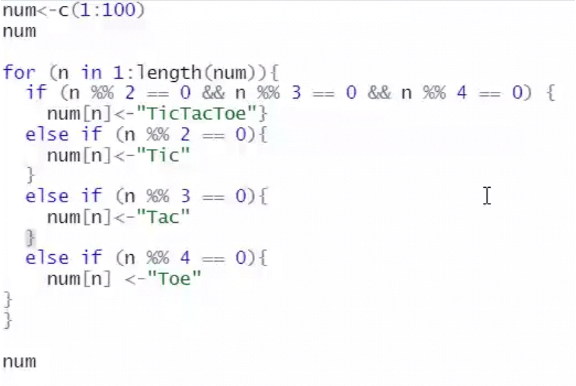
Write a R program to print the numbers from 1 to 100 and print “Tic” for multiples of 2, print “Tac” for multiples of 3, “Toe” for multiples of 4 and print “TicTacToe” for multiples of all three.
for (n in 1: length(num))
{
if (n %% 2 == 0 && n%%3 == 0 && n%%4 == 0)
num[n] <- “TicTacToe”
}
else if (n %% 3 == 0)
{
print(“Tac”)}
else if (n %% 4 == 0) {print(“Toe”)}
else print(n)
}
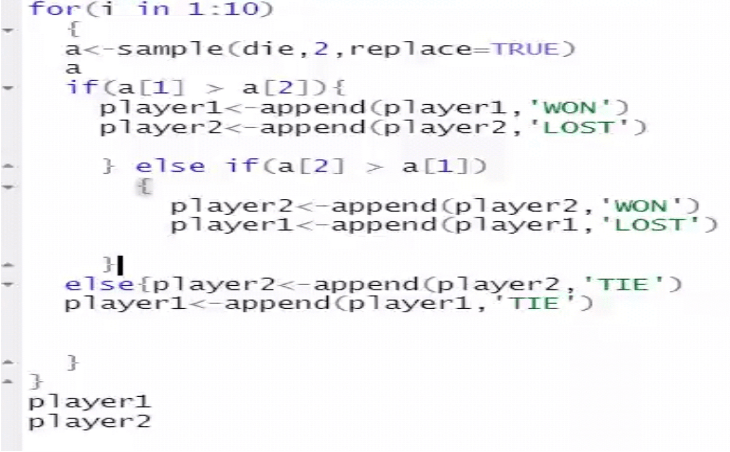
Coin tossing game: Let the two players toss the coin, the one who get head value will win the game. Repeat it 10 times, find the statistics.

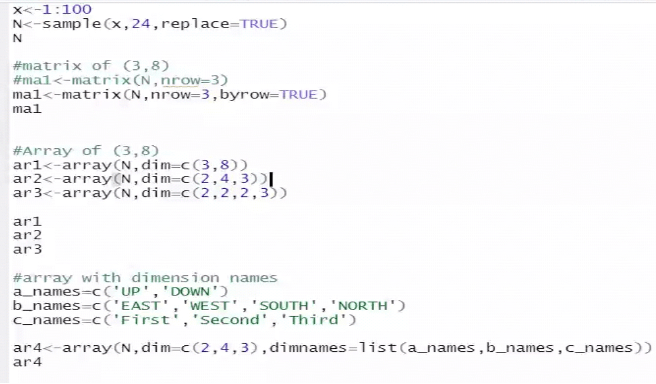
Write a R program to create a list of 24 random values between 1 to 100. Arrange these values as arrays of the following dimensions and print the arrays.
(3,8) , (2,4,3), (2,2,2,3) dimensions.
3 dimensional array(2,4,3) with dimensions as
a_names=c(‘UP’,’DOWN’)
b_names=c(‘EAST’,’WEST’,’SOUTH’,’NORTH’)
c_names=c(‘First’,’Second’,’Third’)
Num_list=sample(1:100,24)
A1=array(Num_list, dim=c(3,8))
A2=array(Num_list, dim=c(2,3,4))
A3=array(Num_list, dim=c(2,2,2,3))
A1
A2
A3
Write a R program to combine three arrays so that the first row of the first array is followed by the first row of the second array and then first row of the third array.
s.no <- c(1, 2, 3, 4, 5)
states <- c(‘assam’, ‘goa’, ‘chattisgarh’, ‘delhi’, ‘himachal’ )
month <-c (‘jan’, ‘feb’, ‘mar’, ‘apr’, ‘may’)
cases <- c(66, 77, 88, 99, 22)
D <- data.frame(s.no, states, month, cases)
D
 Data Centric